
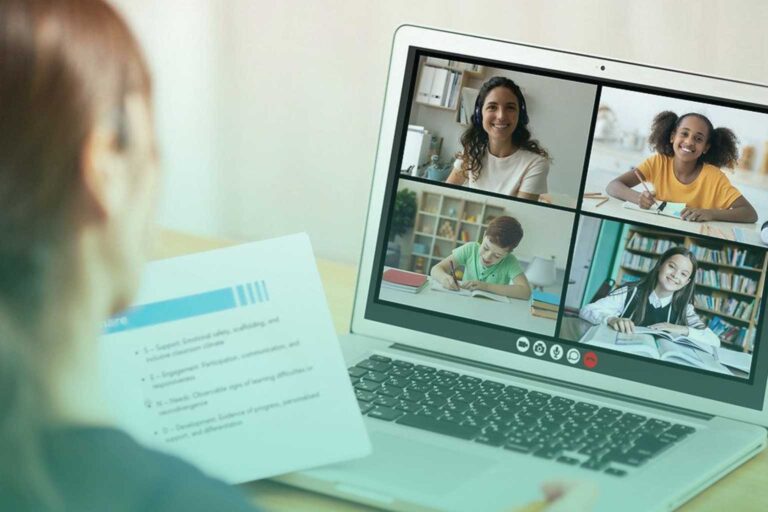
Get started with Microsoft Teams for remote learning
Dear School Leaders,
We recognize the role technology can play during this uncertain time. Many schools around the world are making the difficult decision to temporarily close for the health and safety of students, teachers and other staff.
Given this, we know schools are looking for ways to keep students engaged and learning. We at Multiskills NG want to help in every way we can.
Microsoft Teams for Education is a Microsoft-managed learning environment currently being deployed across primary and secondary schools, as well as universities in Nigeria. It comes as part of the Office 365 A1 licence (Office Online and 1TB cloud storage per user, etc.), which is available free to all educational institutions.
Click here to get your school signed up: https://bit.ly/2VEge4C
Here Are Some of the Top Features of Microsoft Teams for Education
Anywhere, Anytime Learning
Enable your teachers to publish classroom content online or conduct interactive online classrooms. Teachers and students can use a single interface within Microsoft Teams to learn, collaborate and interact online.
Learning from Anywhere
Content for classrooms and assignments can be published online, and students can access it from anywhere. Using Teams, students can access content, collaborate with other students, interact with teachers and submit assignments online. Teachers can review student assignments and provide timely feedback.
Online Classrooms
Teachers can host classrooms online, allowing them to share a presentation or a digital whiteboard. Teachers and students can interact using the whiteboard, as well as text, audio or video. Sessions can also be recorded for offline viewing.
Live Events
Live seminars with hundreds of students, and up to 10,000 attendees, can be hosted online using Teams Live Events. Questions can be submitted by attendees and managed by presenters.
Safe, Secure and Scalable
Teams is secure, utilising identity security. It provides effective access control across teachers and students, for all resources, ensuring that only the right people have the right access to the right content, both inside and outside the school’s or institution’s boundaries.
More Professional Development Resources
Microsoft 365 Education: Microsoft 365 Education gives teachers what they need most.
Microsoft Educator Center: Hundreds of courses in over 40 languages for Office 365 and Teams in education.
Microsoft Stores Workshops: Free workshops and events to help you prepare students for the future.
Easy Next Steps
Get your school signed up for free
Build collaborative classrooms, connect in professional learning communities, and connect with colleagues when you get Office 365, which includes Microsoft Teams and is free for your entire school.
Get support
Get deployment, adoption support, and training from the Multiskills NG support team.
Provide feedback
Give us feedback using our testimonial form.
Sign up here: https://bit.ly/2VEge4C